
It boasts as a full computer that fits in your pocket…. for around $120!!!
That’s just what it is. This sleek little Atom quad-core pocket PC literally fits in your back pocket. Has a 3000mA battery and runs Windows 8.1. Comes with 2GB system memory (DDR3 RAM), 32GB eMMC storage (ROM), dual band wifi a/b/g/n, Bluetooth 4.0 built-in, micro HDMI port, two(2) USB ports, micro USB port for power, and an audio jack. It’s adequate for general office work. Lets you install anything Windows 8.1 can run so long as it fits on the 32GB drive. Has an expansion port for a microSD card as well (there are reports of not being able to install application to the microSD, we will find out later).
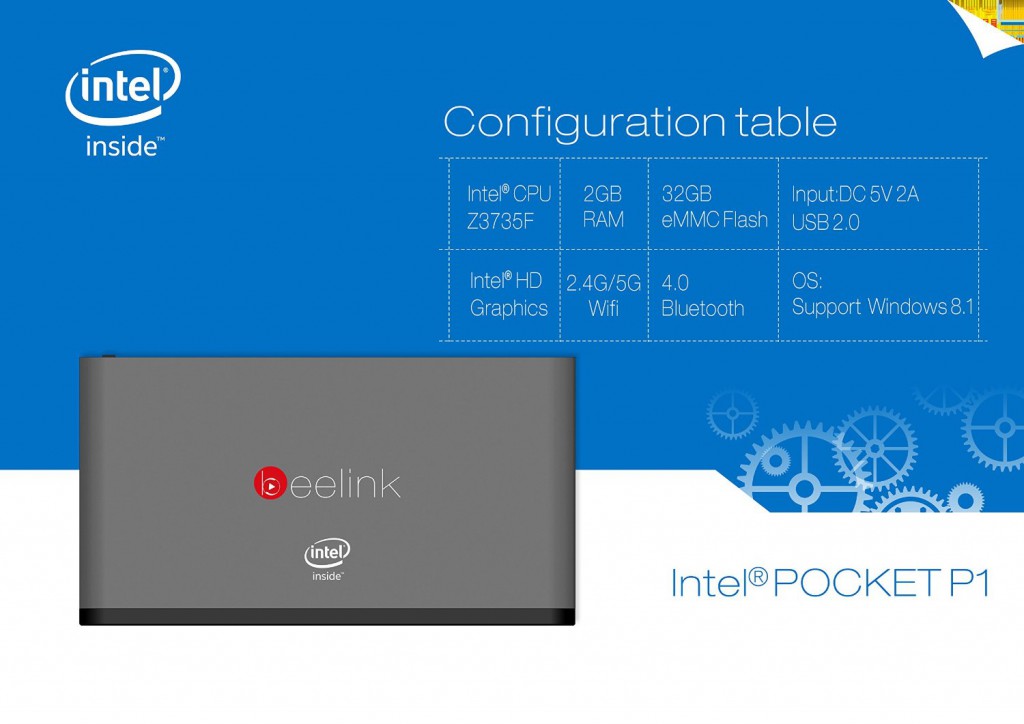
In testing I let the kids hammer at it for a weekend on the living room TV. They installed Minecraft and other web based multi-player games. This system handled Minecraft perfectly with low memory use. Lag remained on the server as it should! This was all possible due to Intel HD Graphics support.
This system will be used as a general purpose web/email client for auto shop needs where space is a premium. I would confidently suggest this as an inexpensive option for general computing and client software in a a server environment or a kiosk/display system for marketing purposes.
I would strongly compare this to the good ol’ Atom netbook system just with more gusto and power.
USE: SOHO, anywhere you need a very small pc.
Additional things to consider:
This system comes with a micro hdmi port (with micro hdmi to hdmi cable) and will need a vga/dvi adapter for older monitors.
There is a little app that loads when you first bot the system. This is used to configure Windows and your user account. Without this you cannot register Windows. Make sure you do this step or you will continue to see the Registration prompt.